

Скачать SeisMac – бесплатное приложение‑сейсмограф для macOS
Обзор
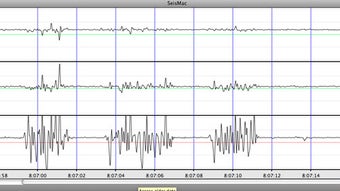
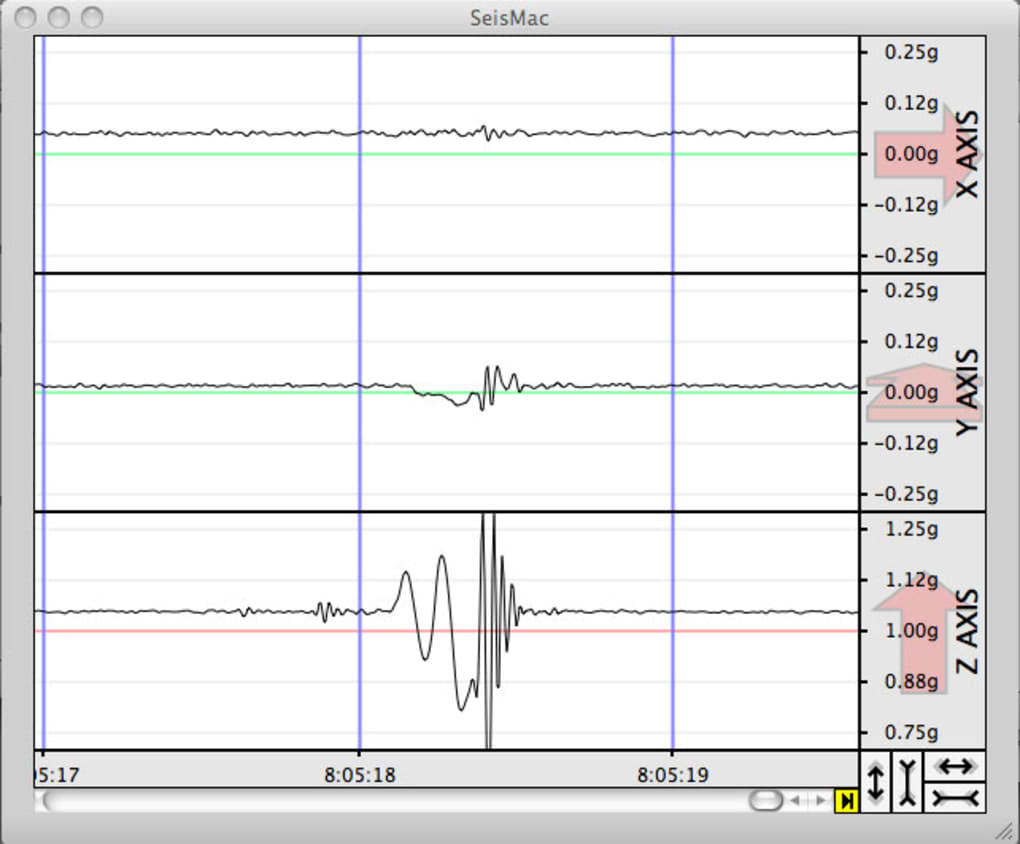
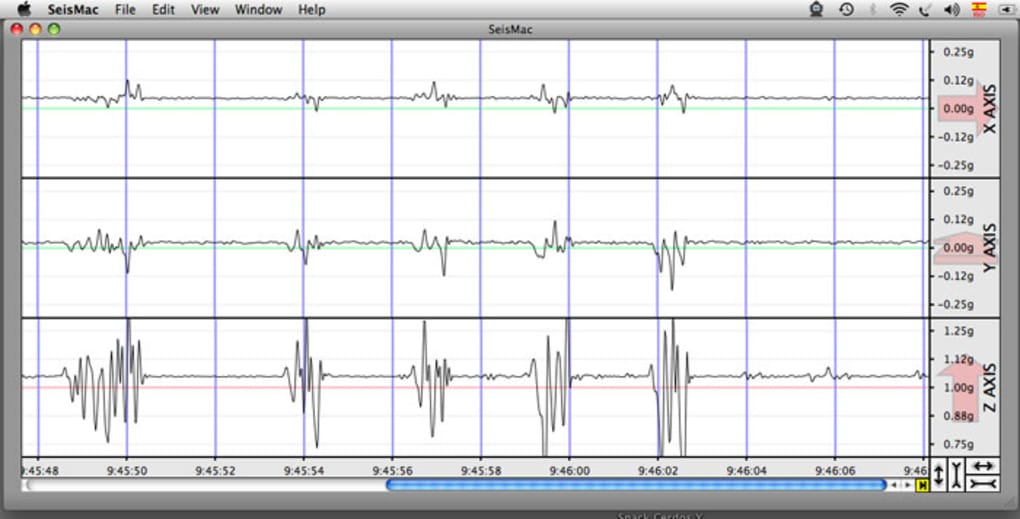
SeisMac — это специализированное приложение для macOS, которое превращает любой совместимый компьютер Apple в функциональный сейсмограф. Используя встроенный датчик резкого движения (Sudden Motion Sensor, SMS), присутствующий во многих MacBook, iMac и Mac Pro, программа непрерывно записывает колебания земли и визуализирует их на интерактивном графике. Исследователи, преподаватели и любители в сейсмоопасных регионах могут использовать SeisMac для мониторинга локальных толчков, захвата данных в реальном времени и даже экспорта результатов для дальнейшего анализа. Приложение поставляется с набором синтетических тестовых данных, позволяя пользователям без SMS‑совместимого Mac исследовать интерфейс и понять, как представлены сейсмические записи. Основные функции включают регулируемые частоты дискретизации, настраиваемый размер буфера, паузу‑и‑возобновление записи, а также графики с метками времени, упрощающие сопоставление наблюдаемого движения с внешними событиями. Хотя программа бесплатна для загрузки, она предлагает профессиональный уровень опыта, сопоставимый с выделенными аппаратными сейсмометрами для многих повседневных сценариев мониторинга. Независимо от того, живёте ли вы рядом с Тихоокеанским огненным кольцом, средиземноморским сейсмическим поясом или просто хотите практическую демонстрацию геофизических концепций, SeisMac предоставляет надёжное, малотехническое решение, которое работает тихо в фоновом режиме, обеспечивая точную визуальную обратную связь.
Основные функции и принцип работы
- Live Seismic Graphing: Real‑time plotting of acceleration data on a continuously scrolling chart, complete with time stamps for precise event correlation.
- Adjustable Sample Rate: Slider controls let you select from low‑power, long‑duration monitoring to high‑frequency sampling for detailed tremor analysis.
- Buffer Management: Choose how much data is retained in memory, allowing you to capture short bursts of activity without overwhelming system resources.
- Pause & Resume Recording: Seamlessly pause data capture when the Mac is moved for non‑seismic reasons and resume without losing previous context.
- Test Data Mode: Built‑in synthetic seismic signals let new users explore the interface even on Macs lacking an SMS chip.
- Export Options: Export recorded data in CSV format for import into scientific analysis tools such as MATLAB, Python, or Excel.
- Minimal Footprint: Lightweight background service that consumes negligible CPU and battery when configured for low‑rate sampling.
- Customizable Display: Zoom, stretch, and compress the graph to focus on specific time windows or amplitude ranges.
The underlying mechanism is simple yet powerful: the Sudden Motion Sensor, originally designed to protect hard drives during sudden drops, measures micro‑accelerations along three axes. SeisMac reads these raw values, filters out high‑frequency noise, and translates the result into a single‑axis displacement graph that mirrors traditional seismograms. Because the sensor is already calibrated at the factory, the app can deliver data that is consistent across different Mac models, making comparative studies feasible. Users can also fine‑tune the sensitivity via the preferences pane, ensuring that the recording remains responsive to subtle ground motion while ignoring ambient vibrations such as desk fans or typing. The combination of an intuitive UI, robust data handling, and the inherent reliability of Apple’s hardware makes SeisMac a compelling free alternative to commercial seismic monitoring stations for educational and small‑scale research purposes.
Установка, настройка и совместимость системы
Installing SeisMac is straightforward and follows the typical macOS application workflow. First, download the DMG file from the official project website. Once the disk image mounts, drag the SeisMac icon into the Applications folder. macOS may prompt you to confirm that you trust the developer; simply click “Open” to proceed. For users on macOS Catalina (10.15) and later, the system’s Gatekeeper will verify the app’s notarization status, ensuring a secure installation free from malware.
After launching the app for the first time, you’ll be greeted with a brief tutorial that explains the main window, the graph controls, and how to access the preferences panel. In the preferences, you can adjust the sample rate (ranging from 10 Hz to 200 Hz) and set the buffer size (from 1 minute up to 30 minutes of data). If your Mac does not possess a Sudden Motion Sensor, toggle the “Use Test Data” option to simulate seismic activity.
Operating System Requirements (itemprop="operatingSystem"): SeisMac is compatible with macOS 10.13 High Sierra and newer, including Big Sur, Monterey, Ventura, and the latest Sonoma releases. The application runs natively on both Intel‑based Macs and Apple Silicon (M1, M2, and later) thanks to universal binary support. Because the SMS hardware is only present on certain MacBook models (mid‑2008 to early‑2015) and selected Mac Pro units, users should verify sensor availability in the “About This Mac → System Report → Sensors” section. Even without a physical sensor, the test‑data mode ensures full functionality.
For optimal performance, place your Mac on a stable, vibration‑free surface—ideally a heavy desk or a dedicated mounting platform. Avoid locations near HVAC vents, heavy foot traffic, or speakers that could introduce extraneous motion. Once the device is settled, enable automatic start‑up in the preferences so SeisMac begins recording whenever the computer boots, guaranteeing uninterrupted seismic logs during critical events. Regularly check for updates via the “Check for Updates” button; developers release minor patches that improve sensor calibration, add new export formats, and enhance UI responsiveness.
Плюсы, минусы и часто задаваемые вопросы
Плюсы
- Free to download and use, with no hidden fees or subscription model.
- Leverages existing hardware, eliminating the need for additional seismic equipment.
- Intuitive UI that makes real‑time monitoring accessible to non‑experts.
- Customizable sampling and buffer settings adapt to both casual observation and detailed research.
- Exportable CSV data integrates smoothly with scientific analysis pipelines.
Минусы
- Limited to Macs that contain a Sudden Motion Sensor; newer MacBooks without the sensor cannot capture real data.
- Sensor sensitivity may pick up non‑seismic vibrations, requiring careful placement of the device.
- No built‑in alert system for threshold‑based earthquake notifications.
- Graphical display is single‑axis; multi‑axis seismograms require post‑processing of exported data.
Frequently Asked Questions
Can SeisMac be used on Apple Silicon Macs?
Yes. SeisMac is compiled as a universal binary, so it runs natively on both Intel and Apple Silicon Macs. However, the Sudden Motion Sensor is only present on certain older MacBook models; on newer Apple Silicon laptops you will need to rely on the built‑in test‑data mode.
How accurate is the data compared to professional seismometers?
The SMS provides micro‑accelerometer readings that are sufficient for detecting moderate to strong ground motion. While it may not match the precision of dedicated broadband seismometers, it offers reliable detection of earthquakes that exceed magnitude 3–4 in the immediate vicinity of the device.
Is there a way to set up automatic alerts when an earthquake occurs?
SeisMac does not currently include a built‑in alert system. Users can script a simple monitor that watches the exported CSV file for spikes and triggers a macOS notification, or integrate the data with external services like IFTTT for real‑time alerts.
Can I run SeisMac in the background while using other applications?
Absolutely. The app is designed to run as a background process with minimal CPU usage. You can minimize the main window, and the recording will continue uninterrupted.
What export formats are supported for the recorded data?
SeisMac currently exports data as comma‑separated values (CSV), which can be opened in spreadsheet programs, scientific software, or custom scripts for further analysis.
Заключение и призыв к действию
SeisMac stands out as a uniquely accessible tool for anyone interested in monitoring seismic activity without investing in expensive hardware. By turning a common Mac into a functional seismograph, it democratizes data collection for students, citizen scientists, and professionals alike. The free‑to‑download model, coupled with a clean interface and robust export capabilities, makes it a practical addition to any earthquake‑research toolkit. While the reliance on the Sudden Motion Sensor limits real‑world data capture to older Mac models, the inclusion of realistic test data ensures that every user can explore the software’s features. When placed on a stable surface and configured with appropriate sampling rates, SeisMac delivers reliable, time‑stamped recordings that can be correlated with regional seismic networks or used for independent analysis.
If you live in an earthquake‑prone region such as Japan, Mexico, or the Mediterranean, or if you simply want a hands‑on way to demonstrate seismic principles in a classroom, SeisMac is a compelling choice. Download the application today, follow the simple installation steps, and begin recording the subtle movements of the Earth beneath your feet. Stay informed, contribute to scientific observation, and experience the fascinating world of seismology from the comfort of your own desk.
Ready to get started? Click here to download SeisMac for free and transform your Mac into a powerful, low‑cost seismograph today.







